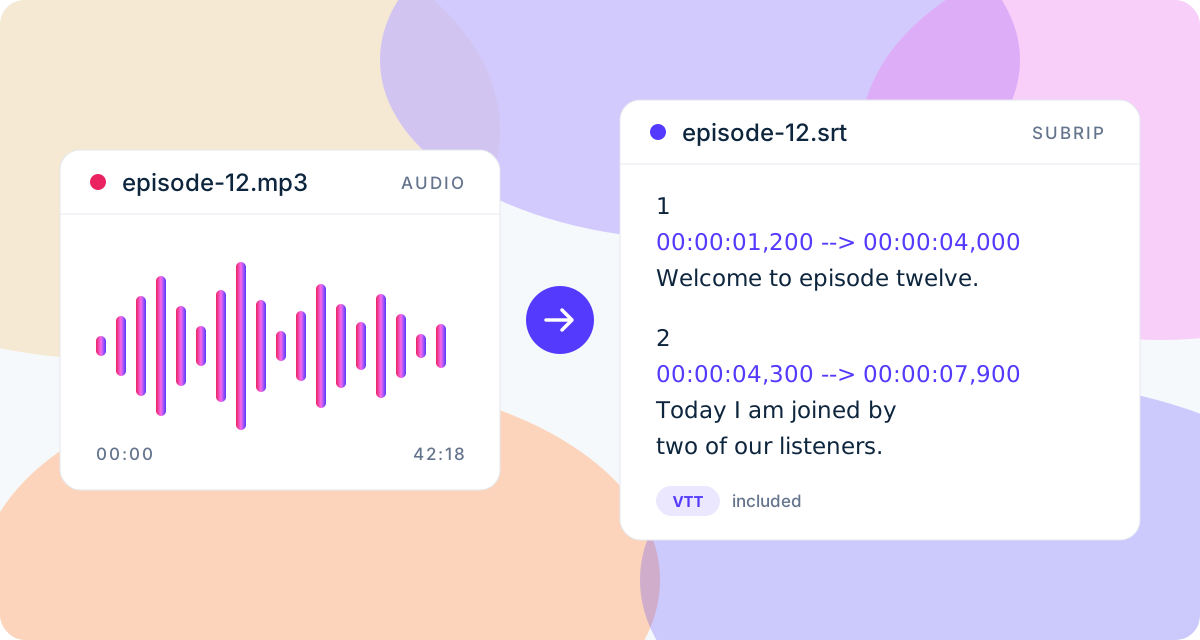
Subtitles come from speech, not pictures. So if you have the audio, you have everything needed for a subtitle file: a podcast episode, an interview, a voice-over, a lecture recording, or the audio track exported from a video edit. ToneLark turns it into timed SRT and VTT subtitles in a few minutes.
How to generate subtitles from audio
- Create a free account. Email or Google sign-in, no card.
- Upload the audio file. MP3, M4A, WAV, AAC, OGG, FLAC and more, up to 2 GB.
- Wait for the email. The language is detected automatically and every line gets a start and end time. You can close the tab.
- Download SRT or VTT. Both come from the same timing.
Why upload only the audio
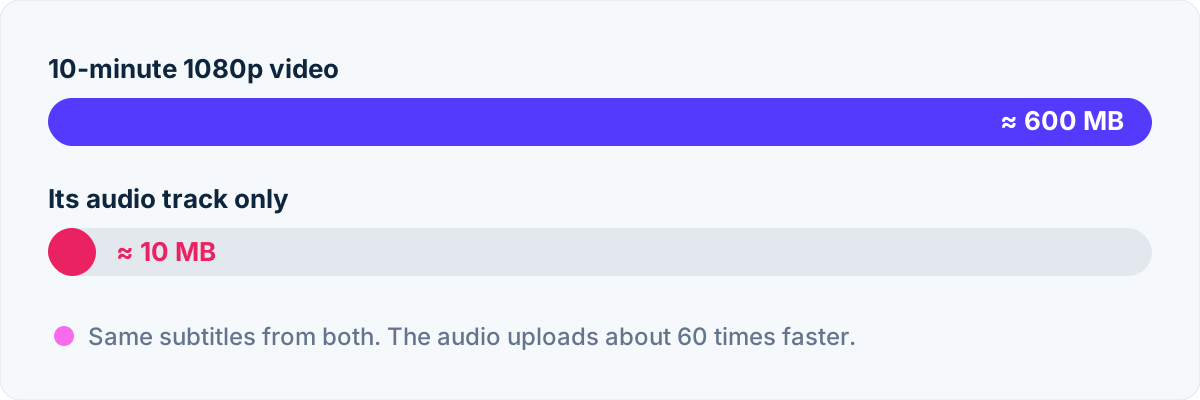
The subtitles come from the sound alone, so the picture adds nothing but upload time. Exporting the audio track from your editor gives the same SRT from a file a fraction of the size.
What people use it for
- Video editing. Export only the audio from your editor, generate the SRT, and import it back as a subtitle track. A 1 GB video often has an audio track under 20 MB, so the upload is almost instant. Step-by-step for DaVinci Resolve.
- Podcasts. Publish the subtitles with the video version on YouTube, or strip the timecodes for show notes and a searchable transcript.
- Interviews and research. A timed transcript makes it easy to find the quote you need and jump straight to it.
- Lectures and courses. Add the subtitles to the lesson video so students can read along and search.
For English recordings, the dashboard also shows a short summary, the main topics and timestamped chapters, ready to paste into a description.
Getting a clean result
Automatic subtitles are only as good as the recording. A microphone close to the speaker, a quiet room, and no music under the voice make the biggest difference. Read seven audio tips for accurate automatic subtitles before your next recording.
Free minutes, then packs
Every calendar month includes 10 free transcription minutes. A recording must fit in the minutes you have left; nothing is transcribed halfway. Prepaid minute packs cover longer recordings and stay valid for 12 months. If transcription fails on our side, the minutes come back.
Have a video instead?
Upload it as it is: the subtitles are the same. With a video you can also burn the captions into the picture. See convert MP4 to SRT for the video version of this page, or how to make subtitles for a video for all the options.