A one-hour interview, a lecture recording, a product demo from last quarter: you know the answer is somewhere in there, but finding it means scrubbing through the timeline and listening again. Notes help only if somebody took them.
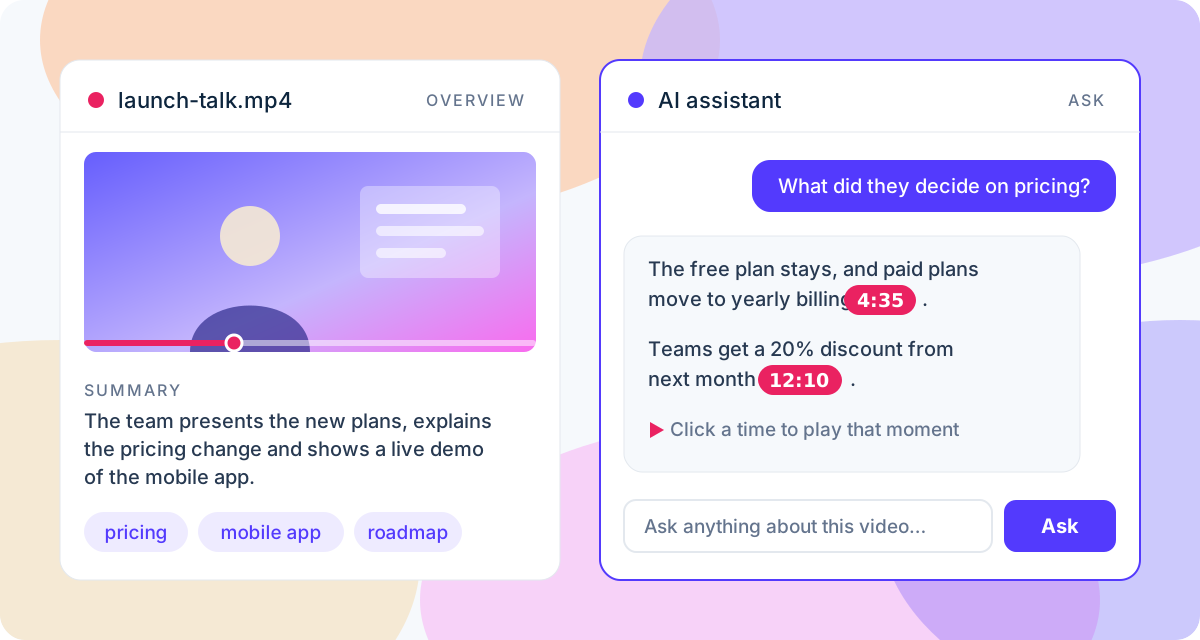
ToneLark turns a video into something you can read and talk to. Upload it and you get timed subtitles, a short summary, the main topics and chapters. Then open the Ask tab and ask the AI assistant anything about it, like "What did they decide about pricing?", and get a short answer with the moments it comes from. Click a timestamp and the video plays from that point.
How it works
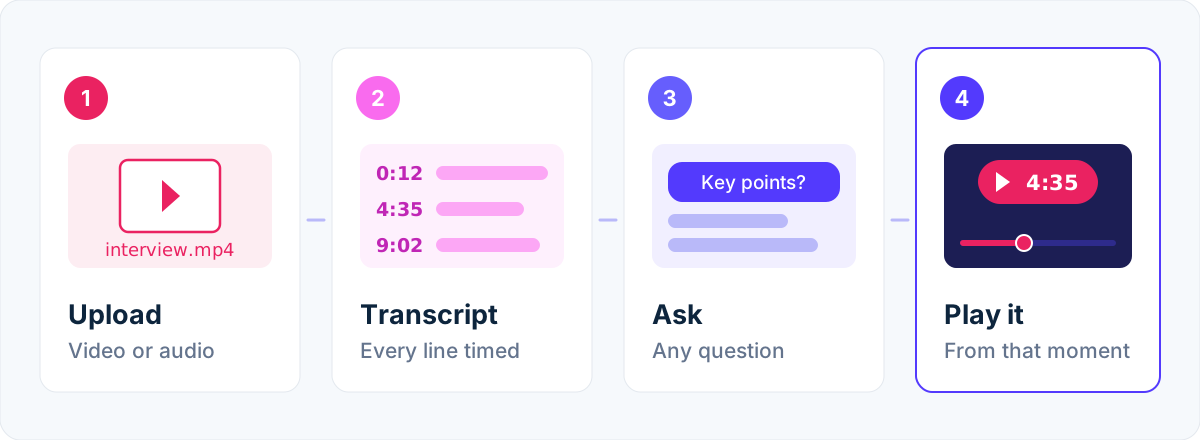
- Upload a video or just its audio, up to 2 GB. Create a free account if you don't have one.
- Wait for the email. The speech is transcribed with a timestamp on every word.
- Open the video in your dashboard. The Overview tab shows the player, the summary, the topics and the chapters.
- Switch to the Ask tab and type a question, or pick a suggested one like What are the key points?
- Click a timestamp in the answer to check it. The player starts right where the moment is.
What you get for every video
- A short summary of what is said, a ready first draft for a description, show notes, meeting minutes or a newsletter.
- The main topics, handy for tags, titles and search.
- Chapters with timestamps that seek the player, in the format YouTube expects. See the YouTube chapters generator.
- An assistant that knows the video. It answers from the transcript only and cites the moments, so you can check every claim in a second.
- Timed SRT and VTT subtitles, plus an optional copy of the video with the captions burned in. See the auto subtitle generator.
The summary, topics and chapters are made for English speech. The assistant works with videos in any language we transcribe.
What you can ask
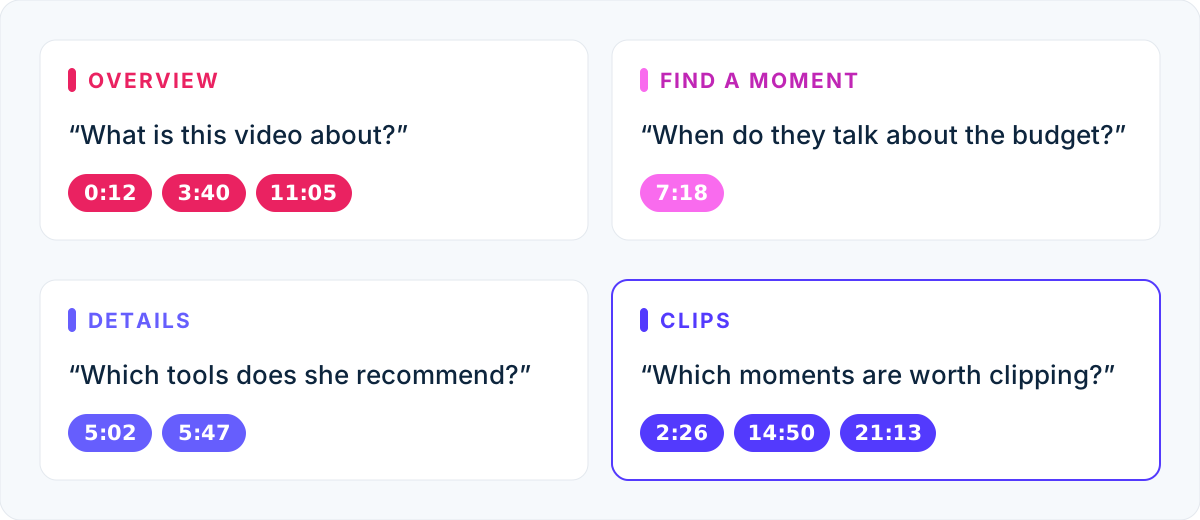
Anything the speakers actually say. A few questions that work well:
- Overview: What is this video about? Summarize it in three bullet points.
- Find a moment: Where do they talk about the budget? When is the demo?
- Details: What tools does she recommend? Which numbers are mentioned?
- A part of the video: What happens between 10:00 and 15:00?
- Reuse: Which moments are worth clipping for a short? Write three tweet ideas from this talk.
- Your own language: ask in Spanish about an English talk and the answer comes in Spanish.
Each video keeps its own conversation, so you can come back later, read the earlier answers and keep asking.
Why the answers cite timestamps
AI tools that summarize a video sometimes fill gaps with plausible-sounding text. ToneLark's assistant is told to answer only from the transcript, to say plainly when the video doesn't cover something, and to put a timestamp like [4:35] after each claim. Those timestamps aren't decoration: click one and you hear the sentence yourself. For research, quotes and anything you'll publish, that check matters more than a fluent summary.
Who it's for
- Creators: turn a long recording into a description, chapters and clip ideas without watching it again.
- Podcasters: pull show notes and quotes from an episode, and answer "which episode was that in?" faster.
- Students and researchers: ask a lecture or an interview direct questions and jump to the source.
- Teams: find what was decided in a recorded meeting or demo without replaying an hour of it.
Good to know
- The assistant hears, it doesn't watch. It knows what is said, not what is shown on screen. Slides or on-screen text count only when someone reads them out.
- Free questions every month. 20 questions across all your videos, resetting on the 1st (UTC). Minute packs come with more, and an answer that fails on our side isn't counted.
- Transcription uses your minutes. Every account has 10 free minutes per calendar month; the summary and chapters are included at no extra cost.
- Very long recordings. Videos up to about three hours of speech can be asked about.